Product

One app for everything you post

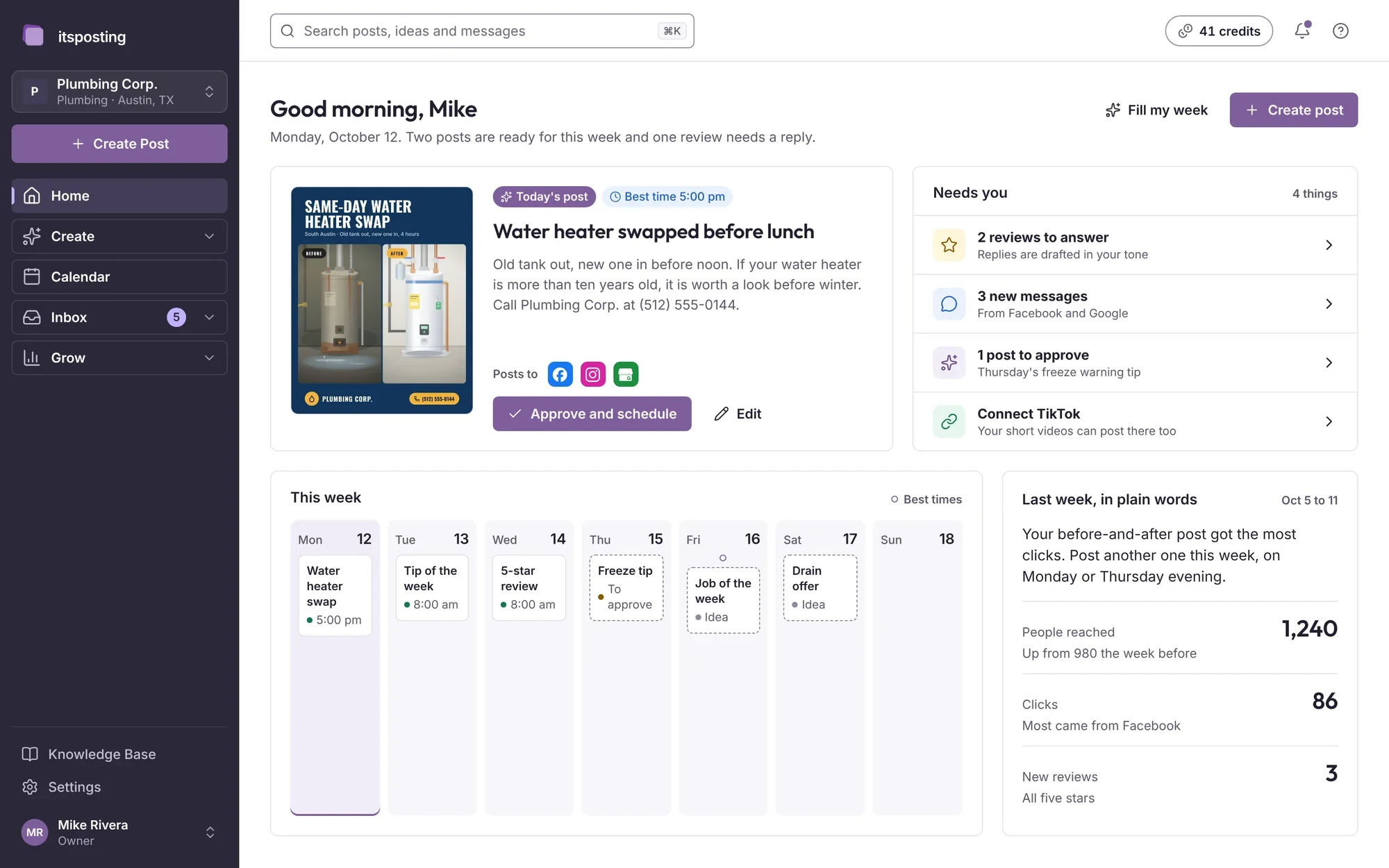
ItsPosting is organized the way your week is: make posts, plan them, answer customers and see what worked. Here is every part of it.

The ItsPosting dashboard: today's post, what needs you, this week and last week's results

Create

Posts, designs and video, made for you

Ideas arrive every morning. Pick one and ItsPosting writes the caption, puts it into a design with your logo and phone number, and sizes it for every platform.

AI posts

Type one line about what happened, or pick one of today's ideas. ItsPosting writes the caption, makes the design and sizes it for every platform. Change a word if you like, then post it now or schedule it.

You typeBurst pipe under a kitchen sink in Hyde Park, fixed the same day.
ItsPosting writes
Burst pipe under the sink this morning in Hyde Park. We shut off the water, replaced the line and had the kitchen dry by lunch. If you hear dripping inside a cabinet, call us before it spreads: (512) 555-0144.Scheduled Thu 5:00 pm
  • Captions in your voice, with the details you gave
  • A design with your logo, colors and phone number
  • You look it over, then post it now or schedule it
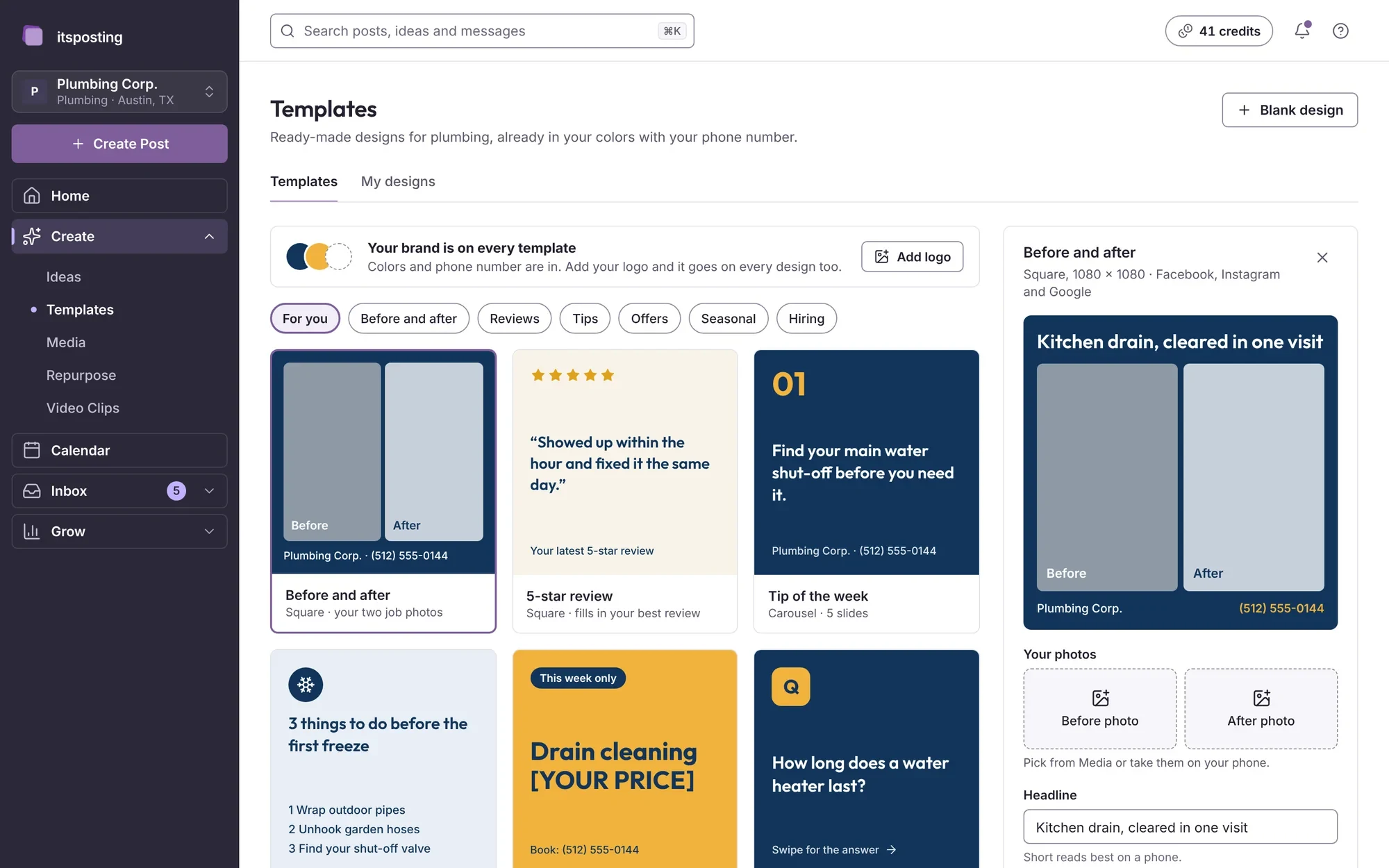
The Templates page: designs in Plumbing Corp.'s colors, sorted by kind of post
  • Ideas

    Post ideas for this week, picked for the season, your kind of business and what people near you are searching for.

  • Templates

    Before-and-afters, reviews, offers and tips, already in your colors. Every size is made for you: feed, square, story and wide.

  • Video Clips

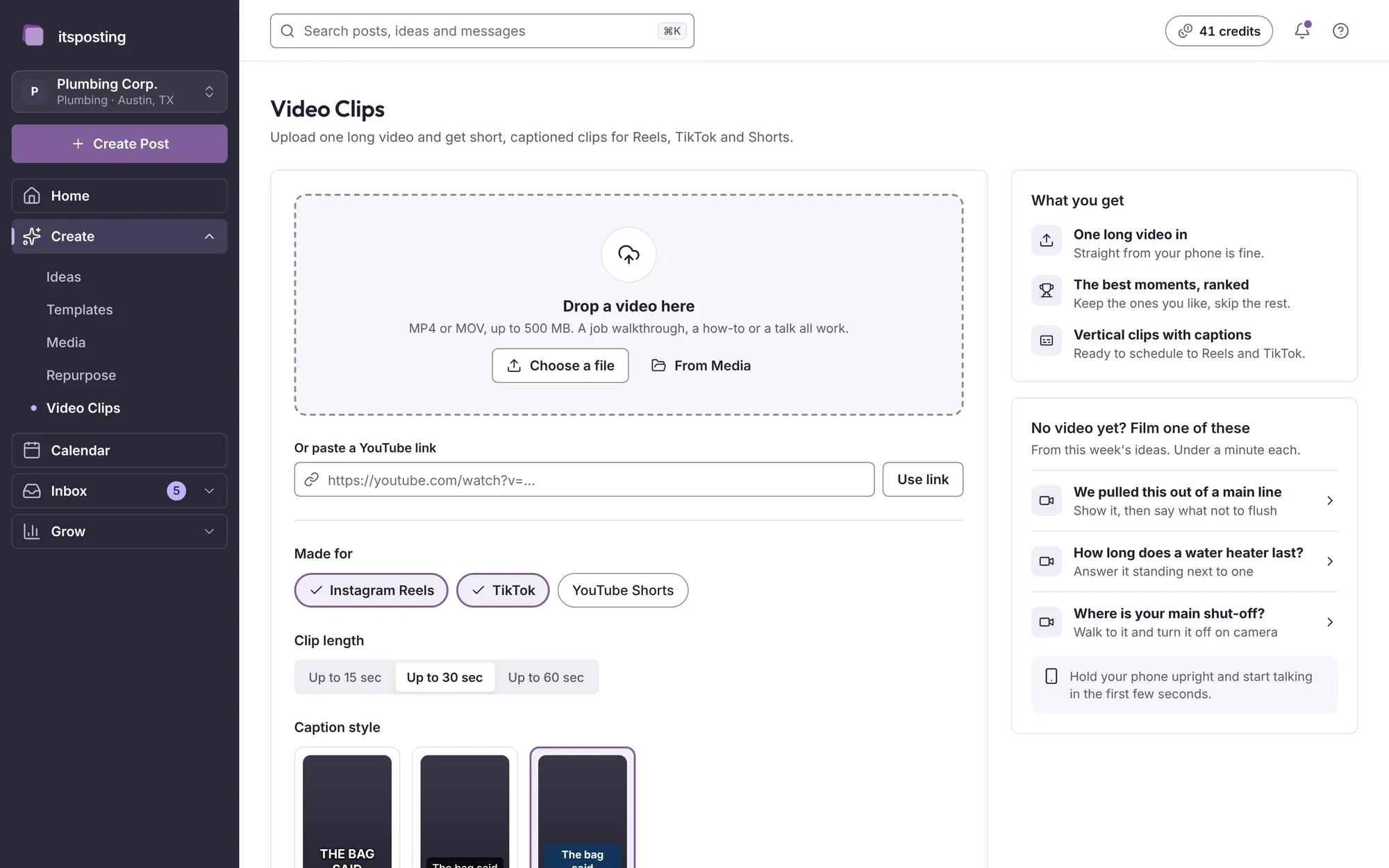
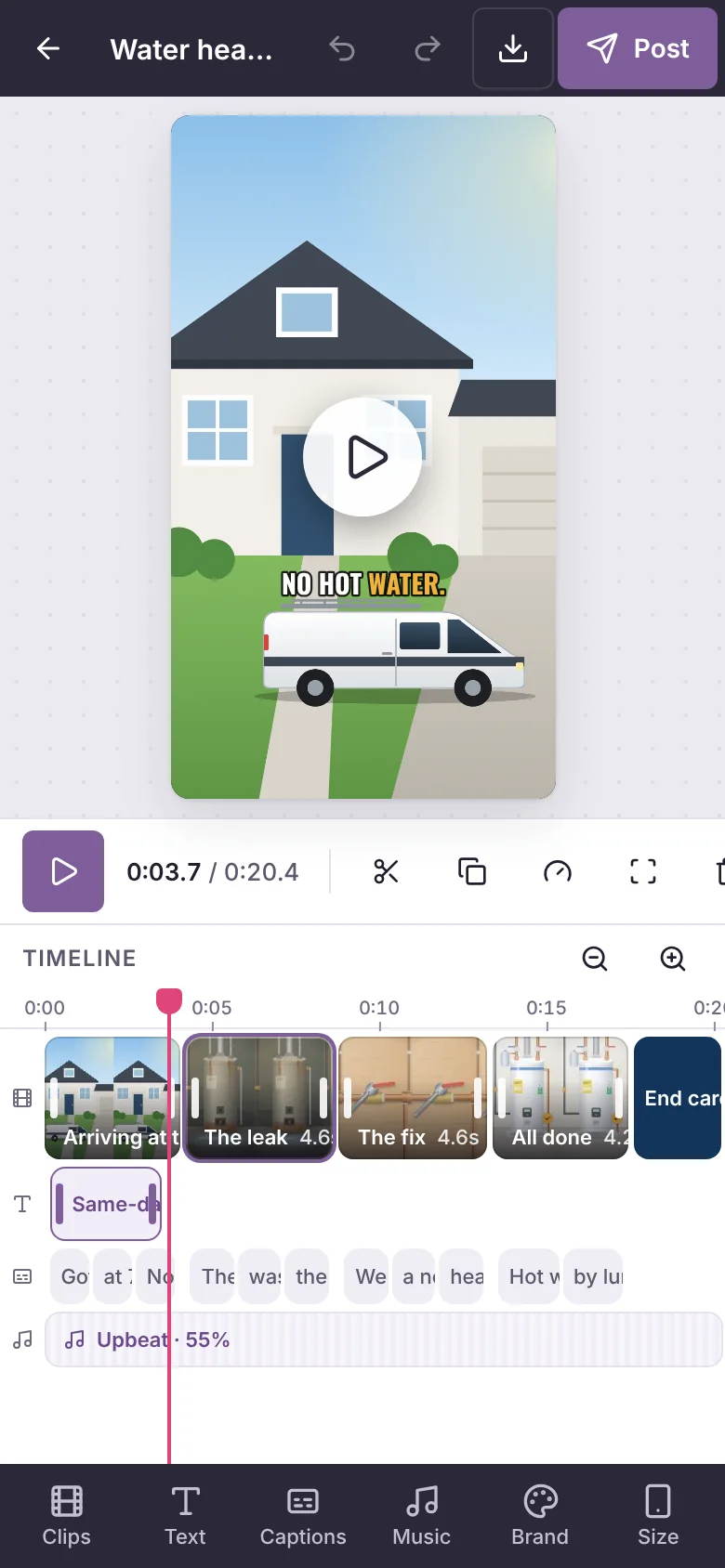
    Upload a video from the job. ItsPosting trims it, adds captions and your logo, and makes vertical clips for Reels, TikTok and Shorts.

  • Media

    Your photos, videos and logos in one library, ready to drop into any post.

  • Repurpose

    Turn one piece, like a blog post, a review or a long video, into posts for every platform.

  • Full editor

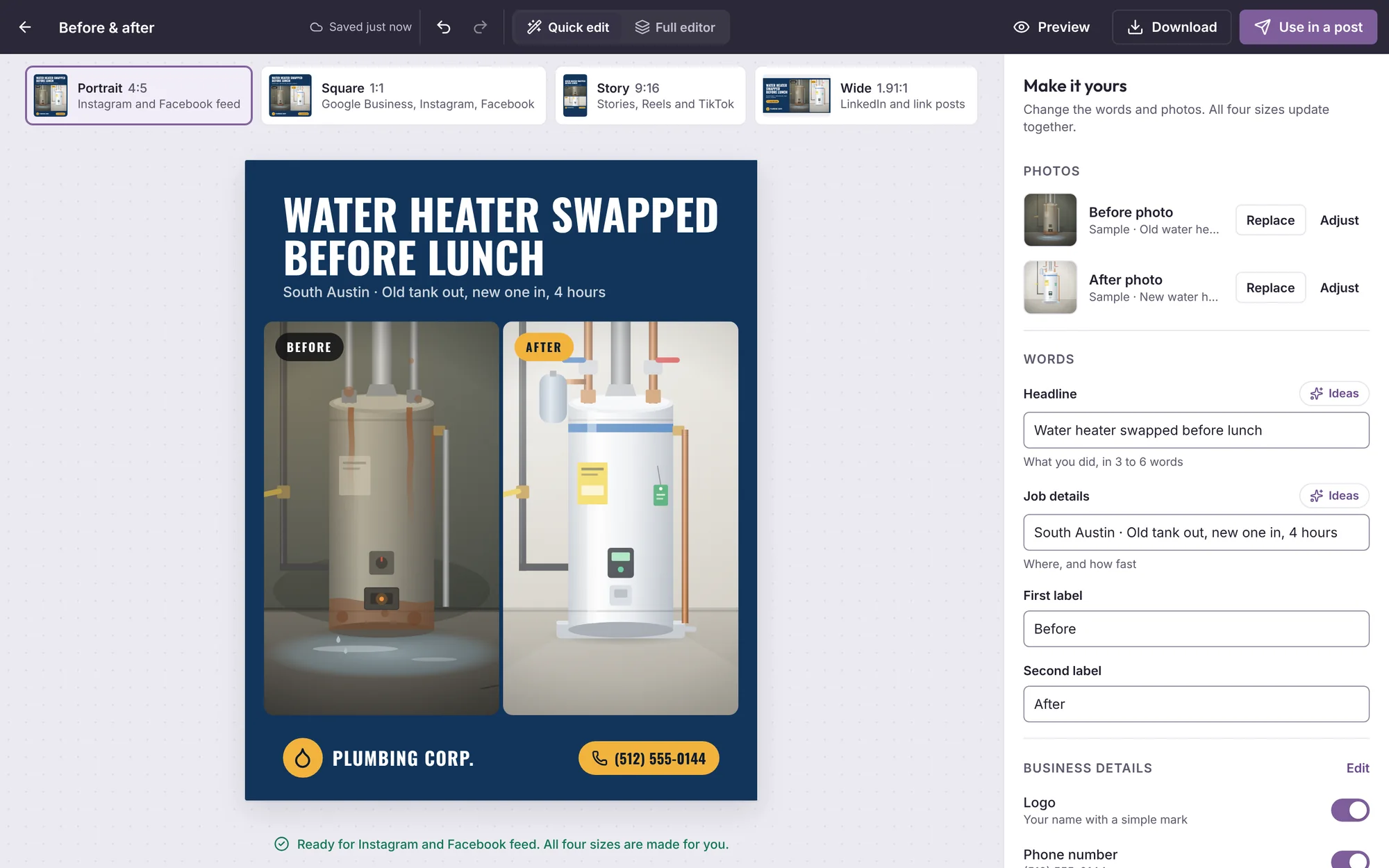
    Quick edits for the headline and photos, and a full editor when you want to change more.

The quick editor: change the headline and photos of a before-and-after post
Quick edits in the post, or the full editor
Video Clips: a long video cut into short vertical clips with captions
Short clips from one long video

Calendar

A month planned, posted on time

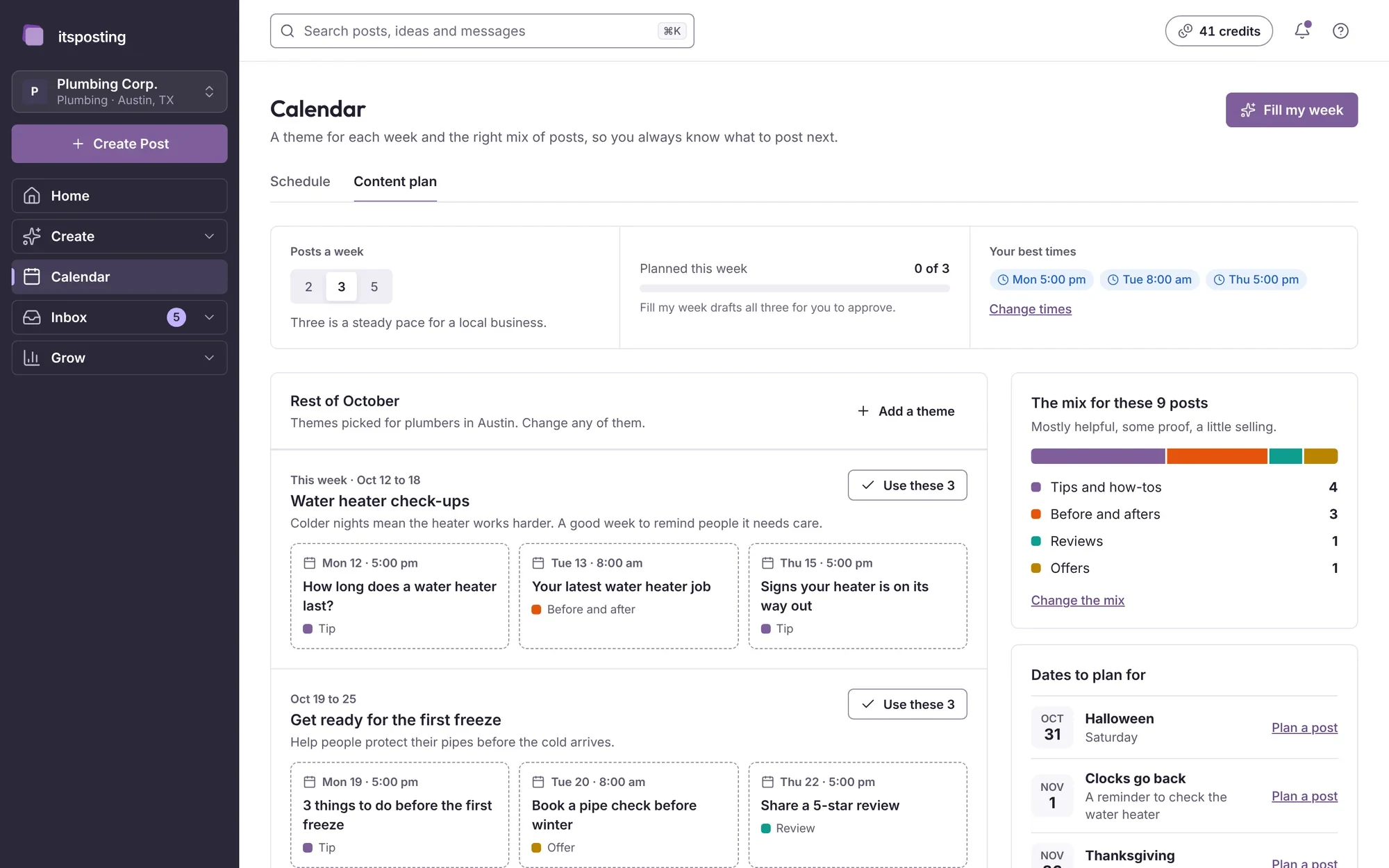
A theme for each week, the right mix of posts and the times your customers are online. Approve once and it goes to every account you connect.

The content plan: a theme for each week with three suggested posts and the best times
  • Content plan

    Themes and the content mix for the month, picked for your trade and your area.

  • Schedule

    Week, month and list views of everything that is planned, drafted and posted.

  • Best times

    Posts go out when your customers are most likely to see them.

  • Posts everywhere

    One approval posts to Facebook, Instagram, Google Business Profile, LinkedIn and TikTok.

Inbox

Every review and message in one inbox

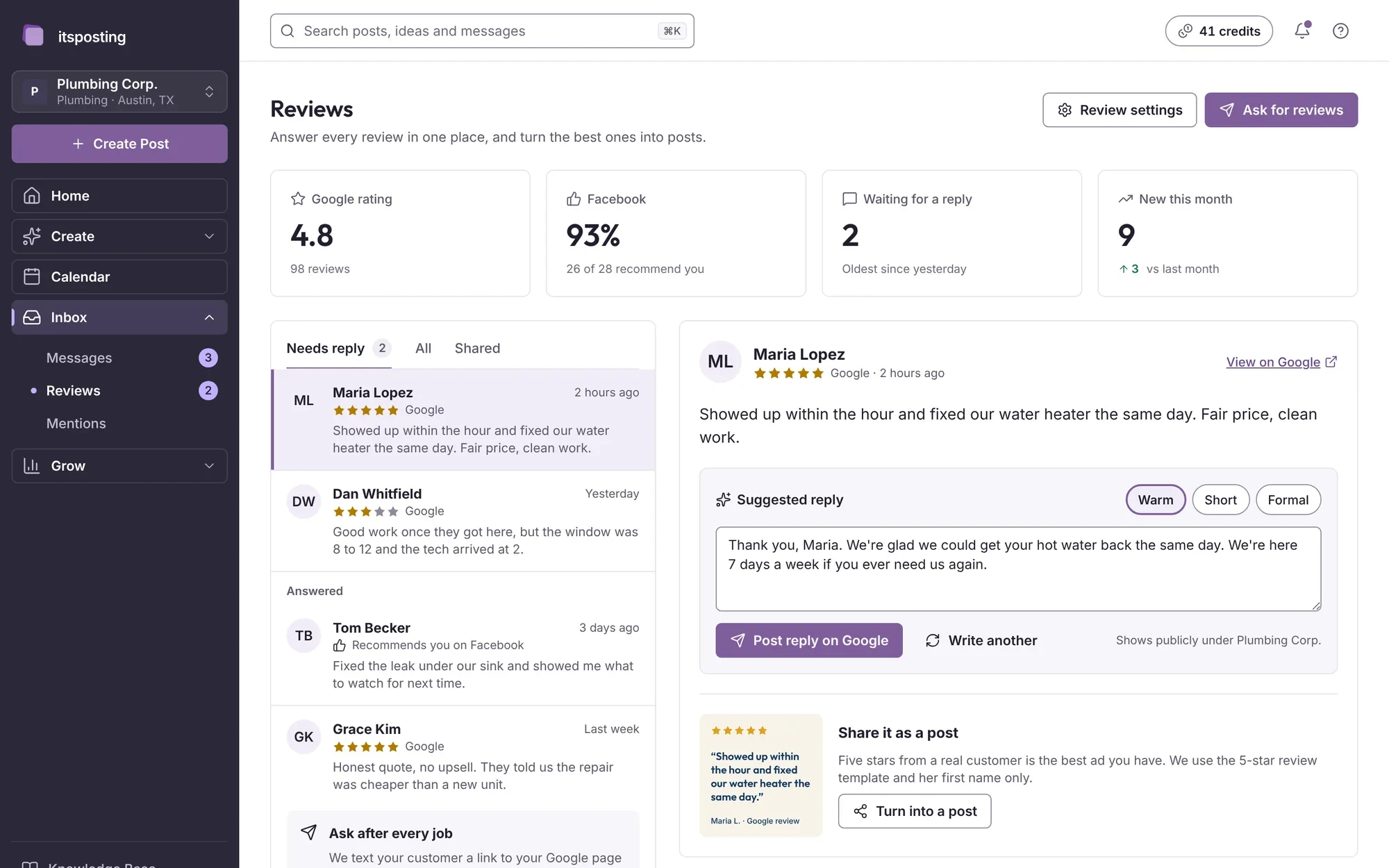
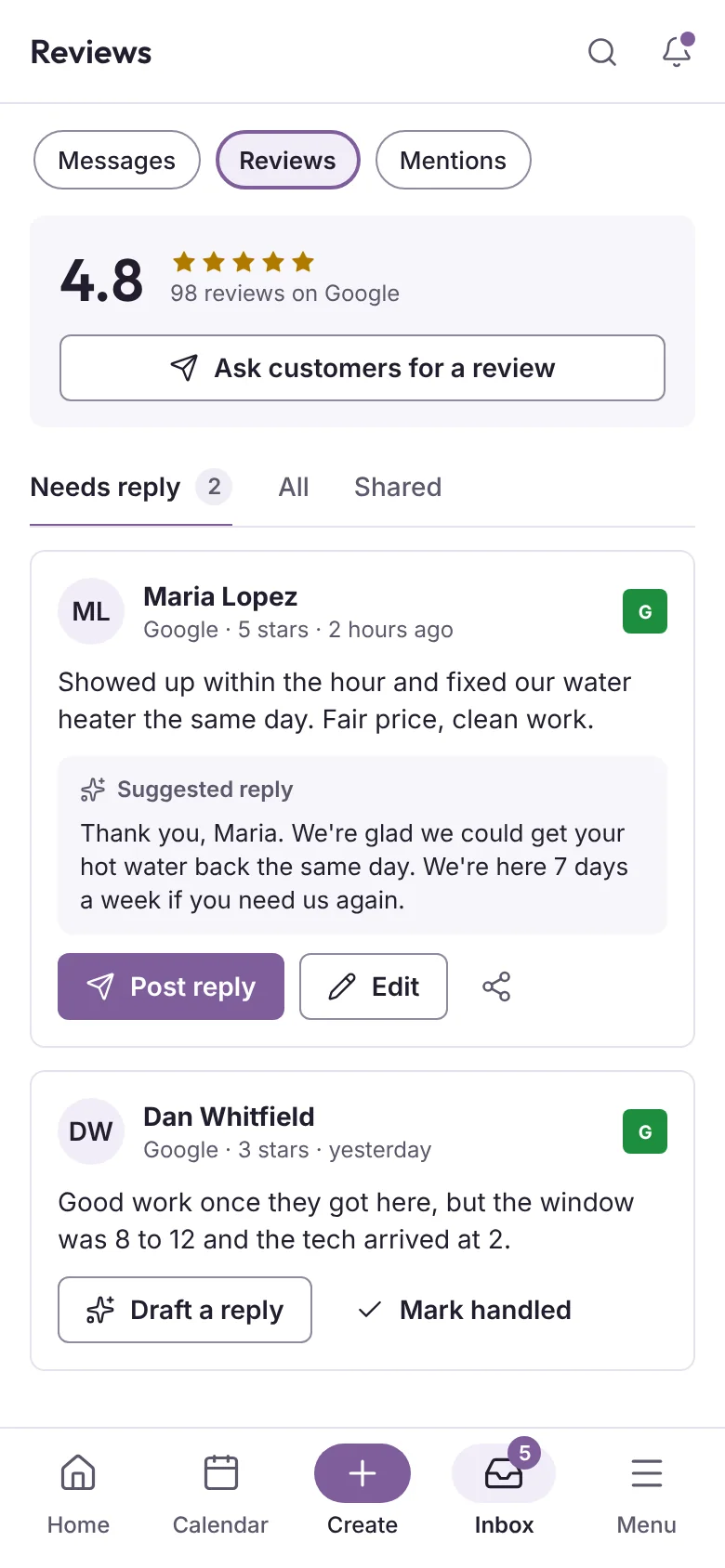
Reviews, comments and messages from every account land in one place, with replies drafted in your tone and ready to send.

The Reviews inbox: new reviews with drafted replies, and a button to share the best ones
  • Reviews

    Replies drafted in your tone. Turn your best five-star reviews into posts in one click.

  • Messages

    Messages and comments from Facebook, Instagram and Google in one list, so nobody waits.

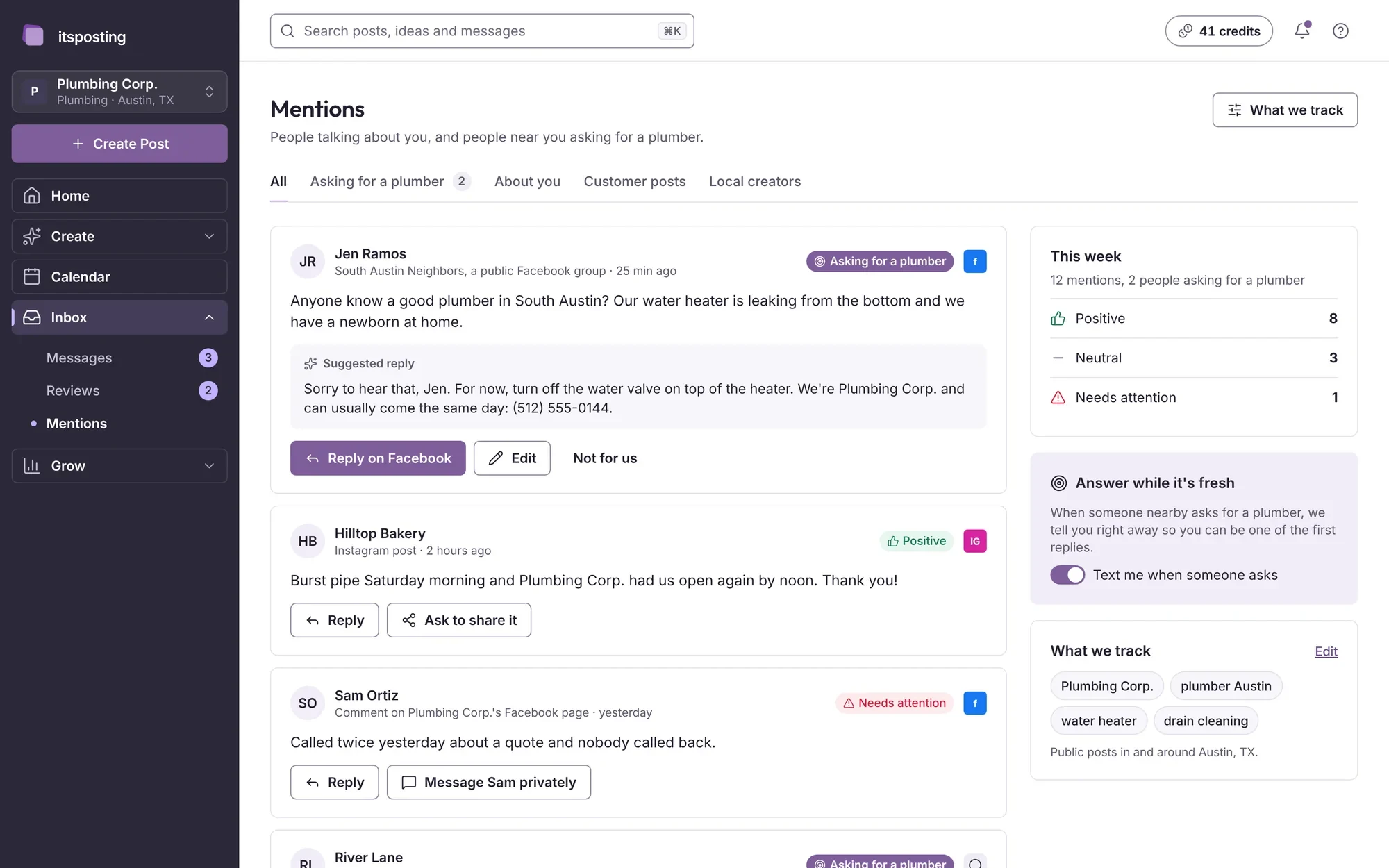
  • Mentions

    See when people talk about your business online, and answer from the same place.

Mentions: posts and comments that name the business, with replies
Mentions of your business, in one list

Grow

See what works, and get found

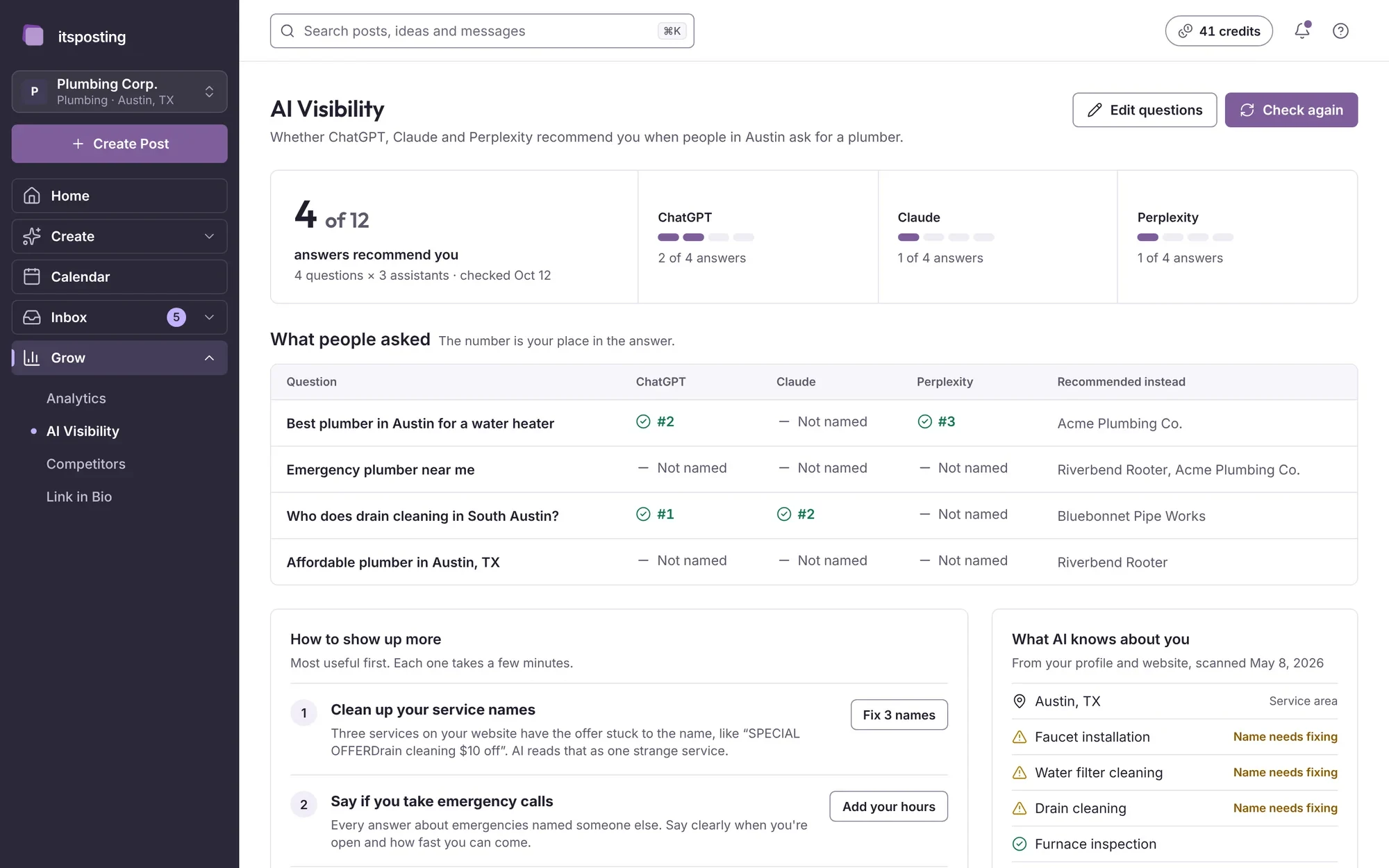
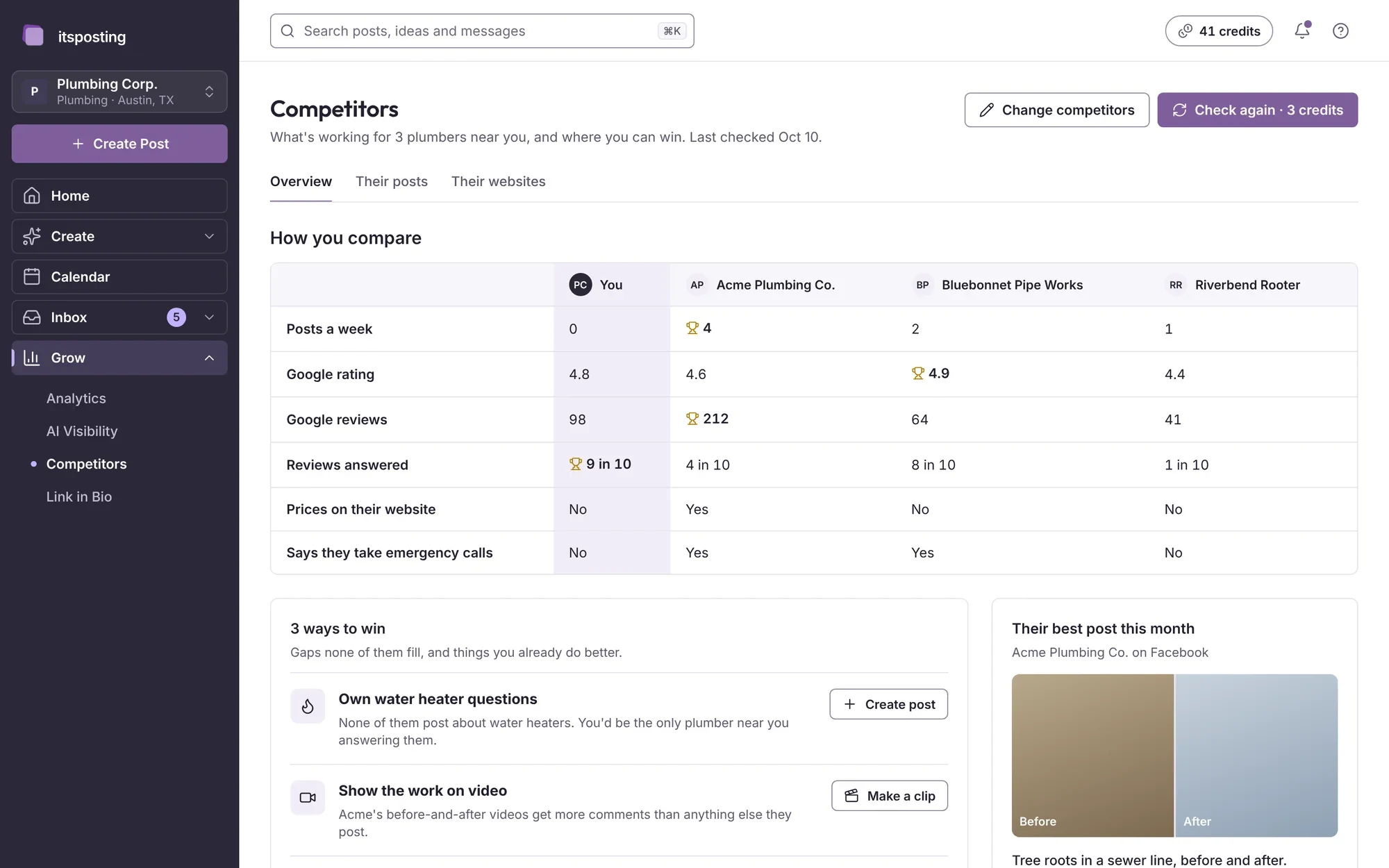
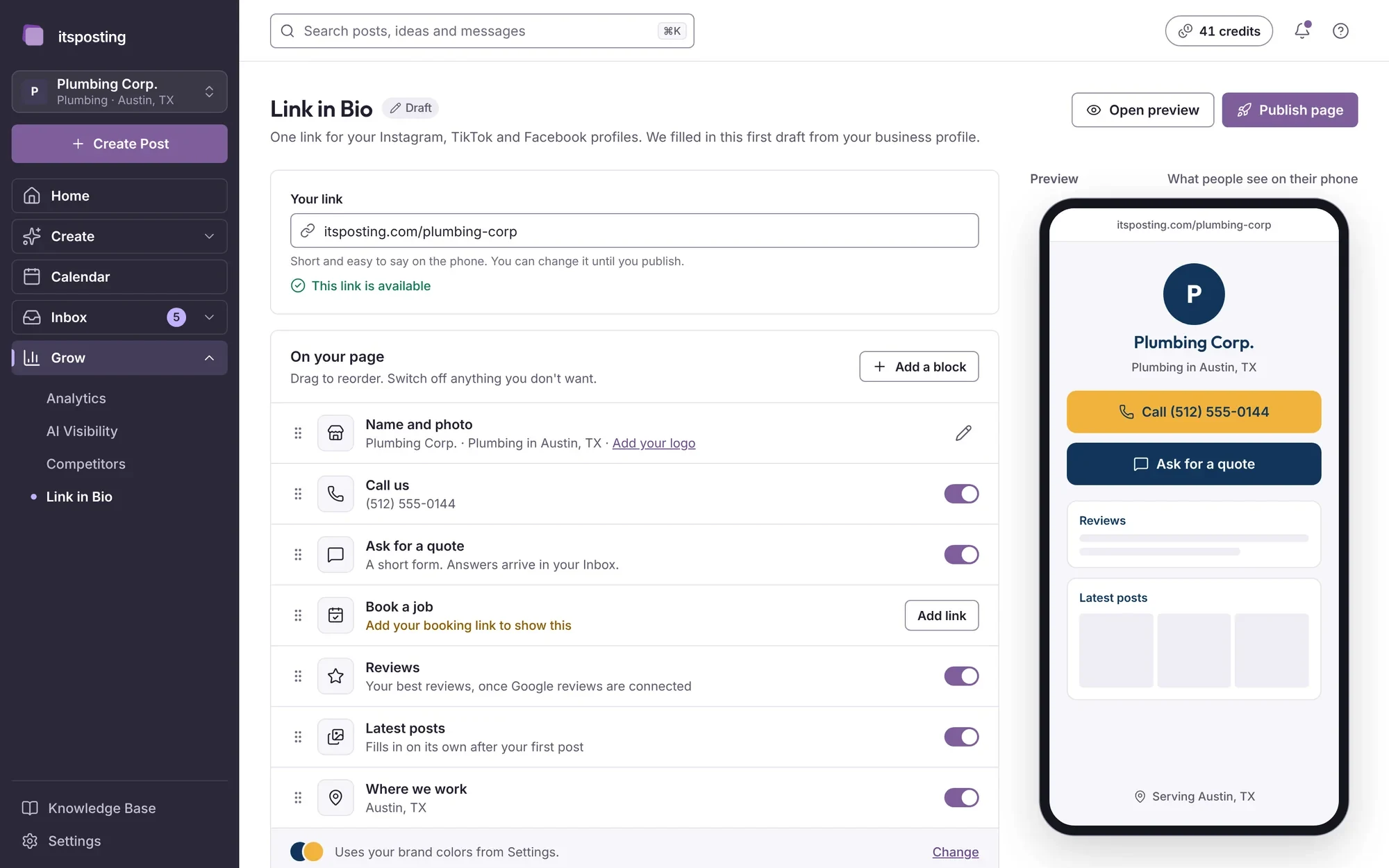
Results in plain words, a check of how AI assistants describe your business, what nearby competitors post and one link for all your profiles.

AI Visibility: how often AI assistants recommend the business, with fixes to make
  • Analytics

    How your posts did, in plain words, with a short note every Monday on what to post next.

  • AI Visibility

    See whether AI assistants like ChatGPT recommend your business, and what to fix so they do.

  • Competitors

    What businesses near you post and what works for them, so you can do it better.

  • Link in Bio

    One link for all your profiles, with your latest posts, offers and booking button.

Competitors: what nearby businesses post and how often
What competitors near you post
Link in Bio: one page with the business's links and latest posts
One link for every profile

Agency

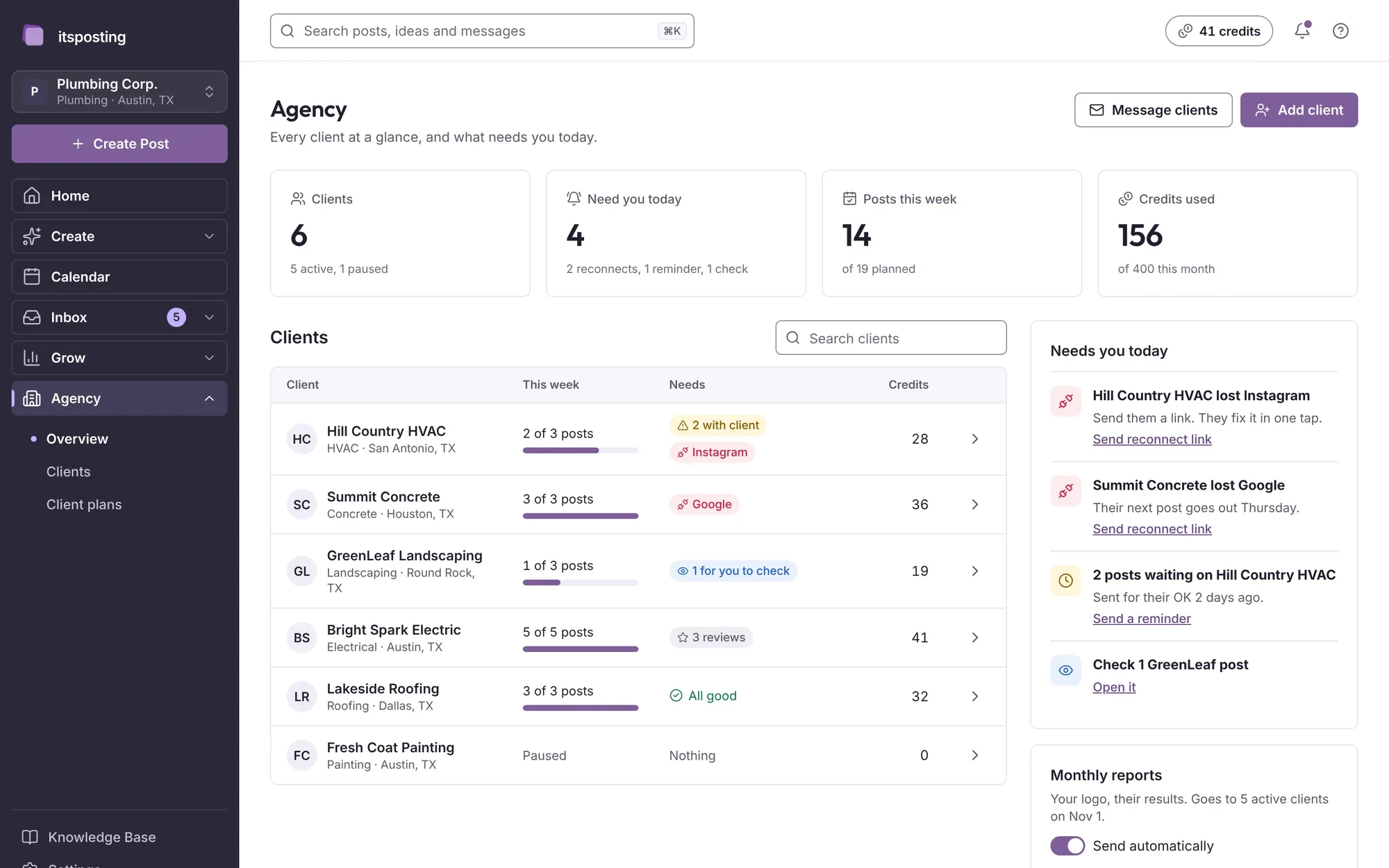
Every client and location, one login

For agencies and businesses with more than one location. Each client gets a workspace with its own brand kit, calendar, accounts and credits.

The Agency overview: every client, what needs attention and credits used
  • Overview

    Every client at a glance: what is due, what is waiting for approval and the credits used.

  • Clients

    A workspace for each client or location, with its own brand kit and accounts.

  • Approvals

    Send a week of posts to the client and post only what they approve.

  • Client plans

    Credits and billing for each client, kept separate.

Knowledge Base

It learns your business first

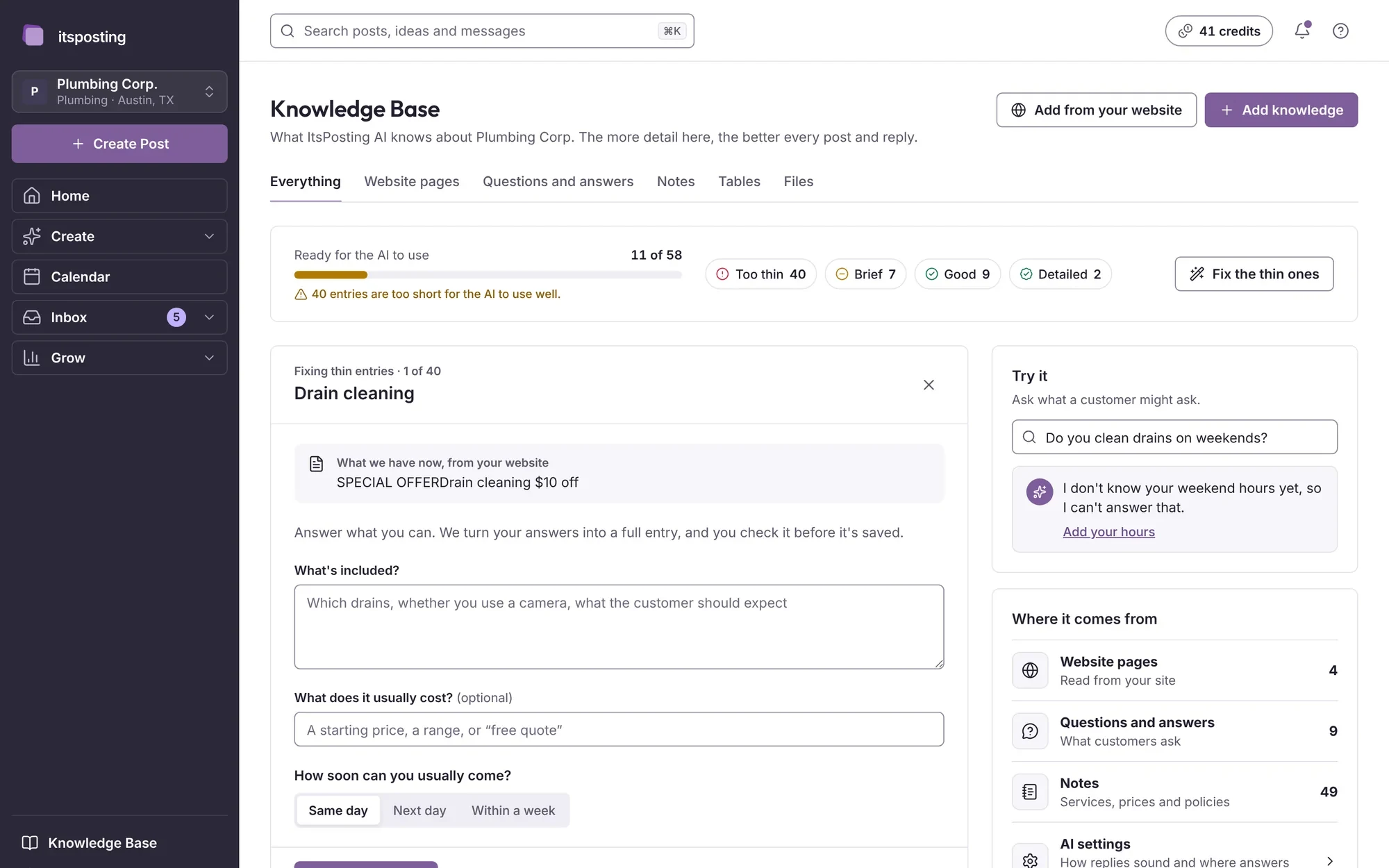
When you sign up, ItsPosting reads your website and asks a few questions about your services, your area and how you like to sound. Everything it learns lives in your Knowledge Base, where you can change it at any time.

The Knowledge Base: what ItsPosting knows about the business, with a readiness meter
  • Brand kit

    Your logo, colors and phone number, on every design.

  • Services and areas

    What you offer and where, so posts mention the right towns and jobs.

  • Your voice

    How you like to sound, learned from your site and your edits.

On your phone

The whole app, in your pocket

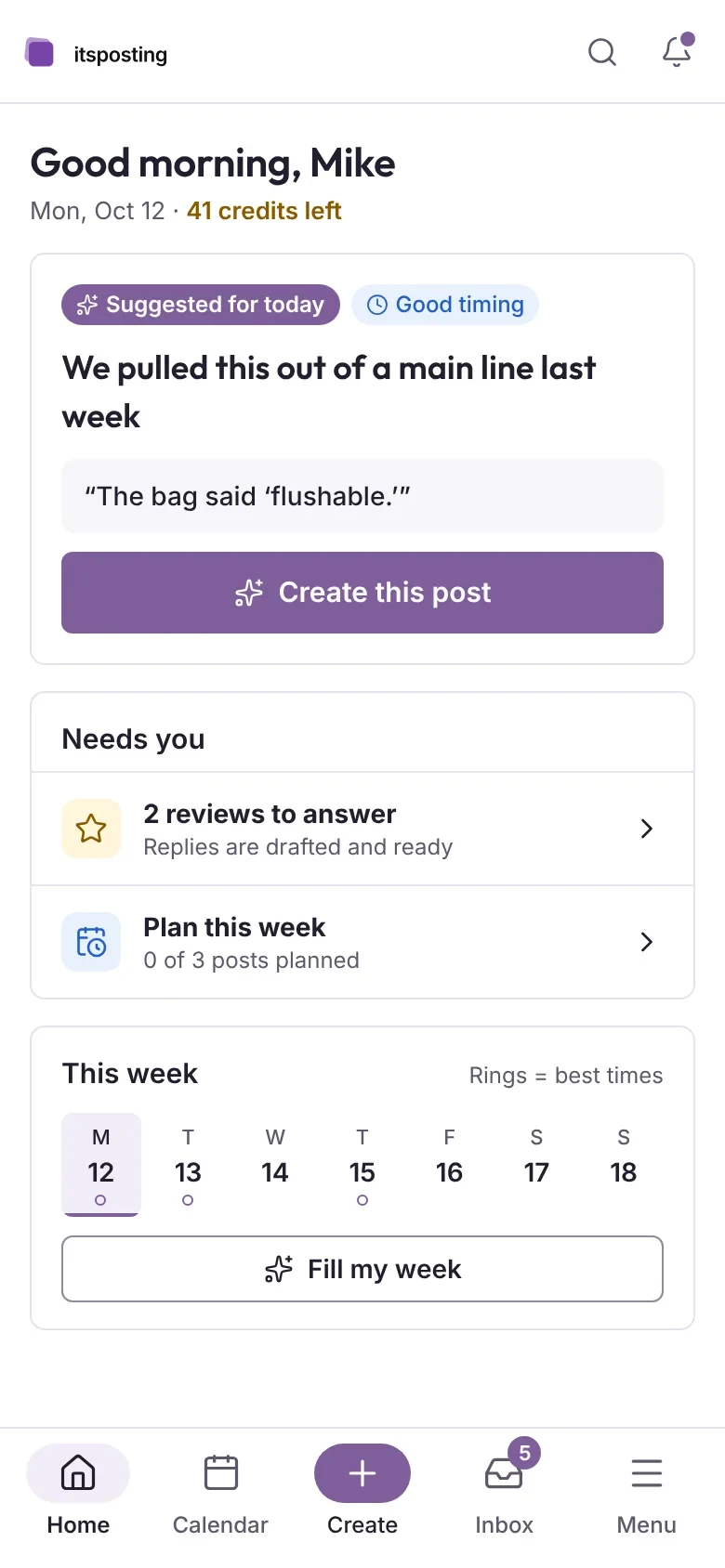
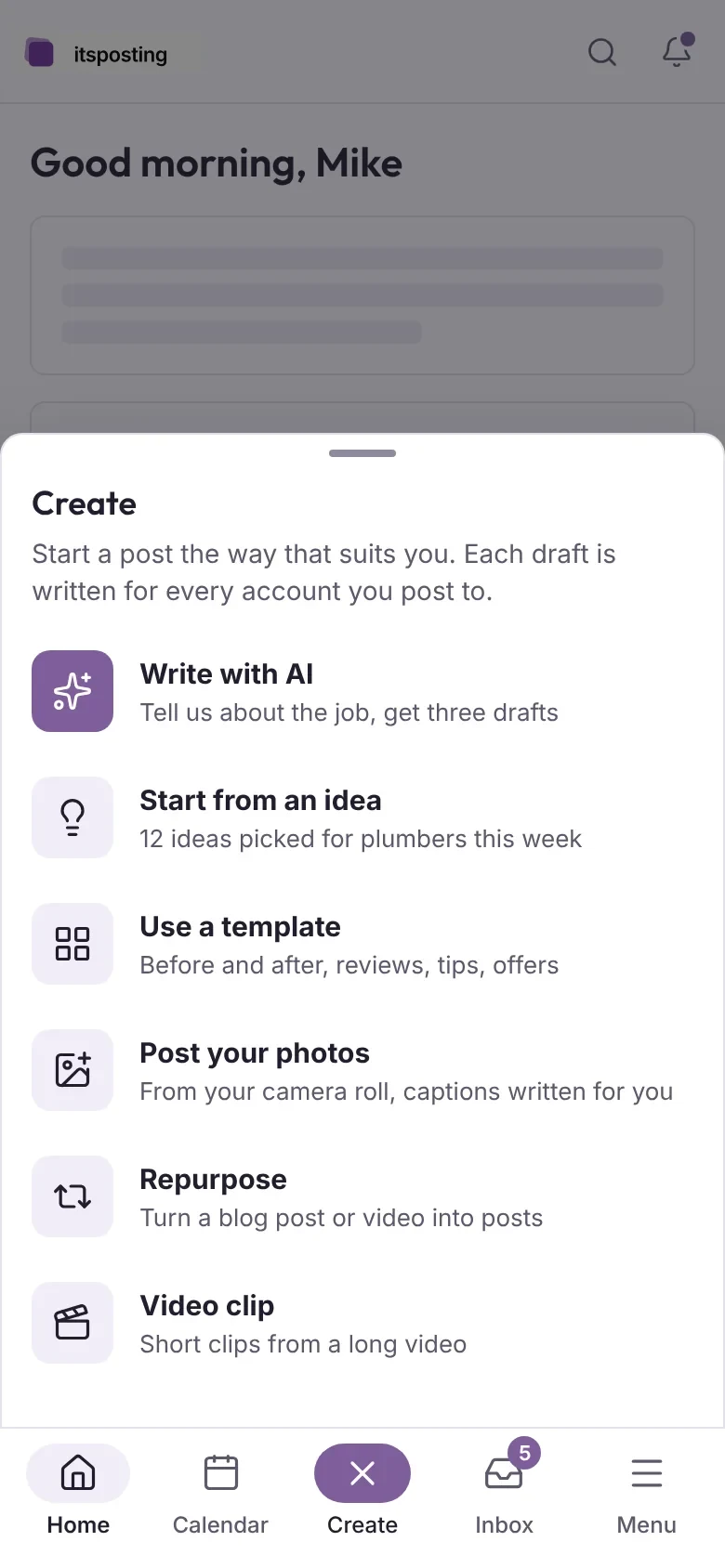
Everything works in the browser on any phone or tablet, with nothing to install. Approve a post between jobs.

  • Home on a phone: today's suggested post, what needs you and this week
    Home
  • Create on a phone: pick the kind of post to make
    Create
  • Reviews on a phone: answer reviews with drafted replies
    Inbox
  • Video on a phone: captions and logo on a short clip
    Video

See your first posts today

Start free. ItsPosting learns your business and has a week of posts ready for you to approve.

Free to start. No credit card. Cancel anytime.